Native controls and shortcuts.
Use familiar windows, menus, keyboard shortcuts, and editing controls.
 Caliper
Build, run, and debug HTTP requests in a native macOS workspace. Your collections stay local, and every response remains available when you need to see what changed.
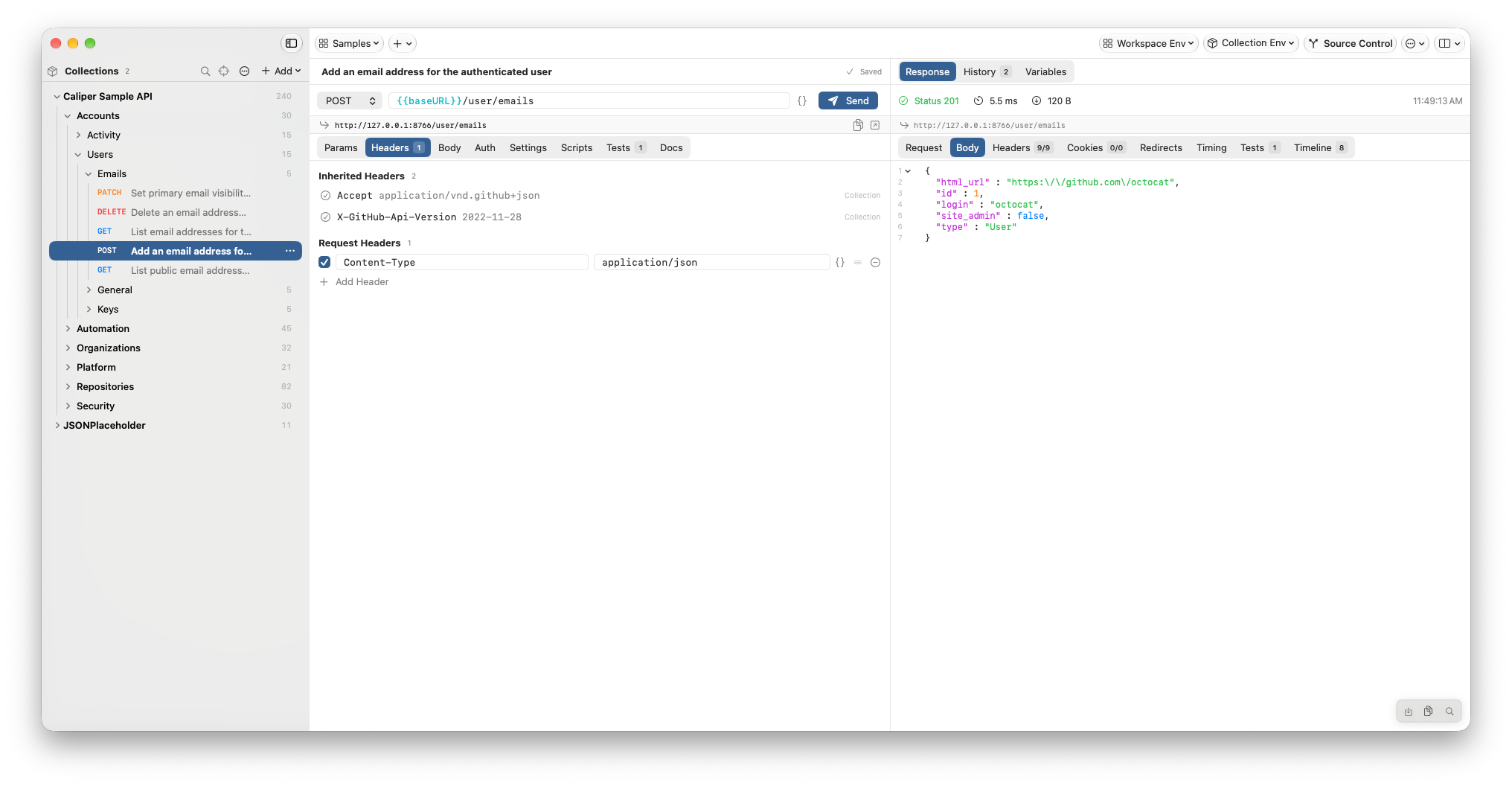
Caliper uses native windows, menus, shortcuts, and controls. Collections stay as local files, while the app and bundled CLI share the same execution engine.
Use familiar windows, menus, keyboard shortcuts, and editing controls.
OpenCollection files work with Finder, Git, and other tools.
Requests, responses, timing, tests, and diagnostics stay together.
Collections, folders, requests, and environments live in one native sidebar. Search when you need it. Use the keyboard when that is faster.
Add parameters, headers, bodies, authentication, variables, scripts, and tests in one focused editor. Caliper saves as you work.
The response body is only the start. Follow the network timeline, inspect variables, and review tests without leaving the result.
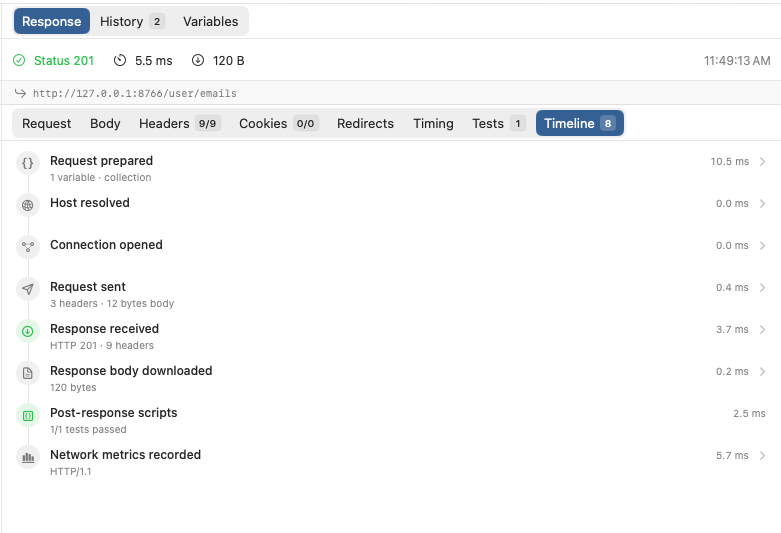
See DNS, connection, transfer, scripts, and tests in sequence.
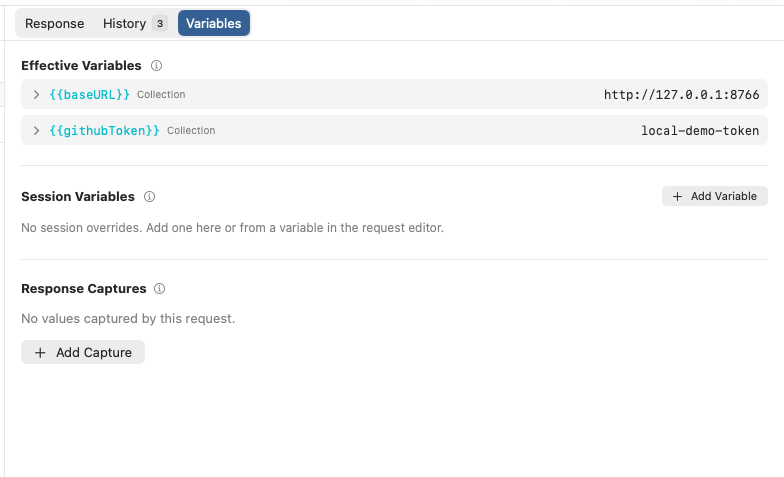
Know which value Caliper used and where each capture came from.
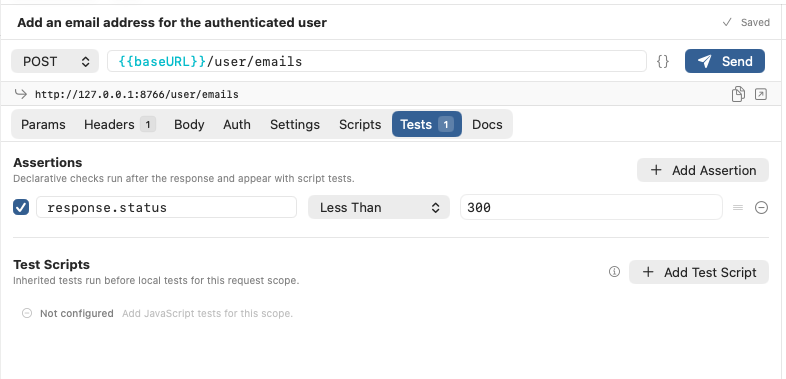
Keep declarative assertions and scripts close to the work.
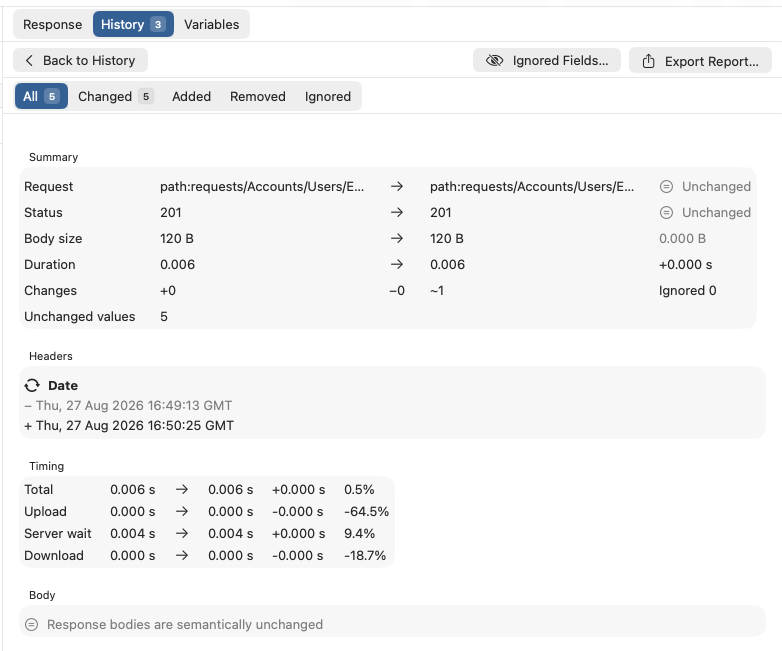
Caliper keeps each exchange as encrypted history. Compare two runs to see changes in JSON, text, headers, timing, or binary content.
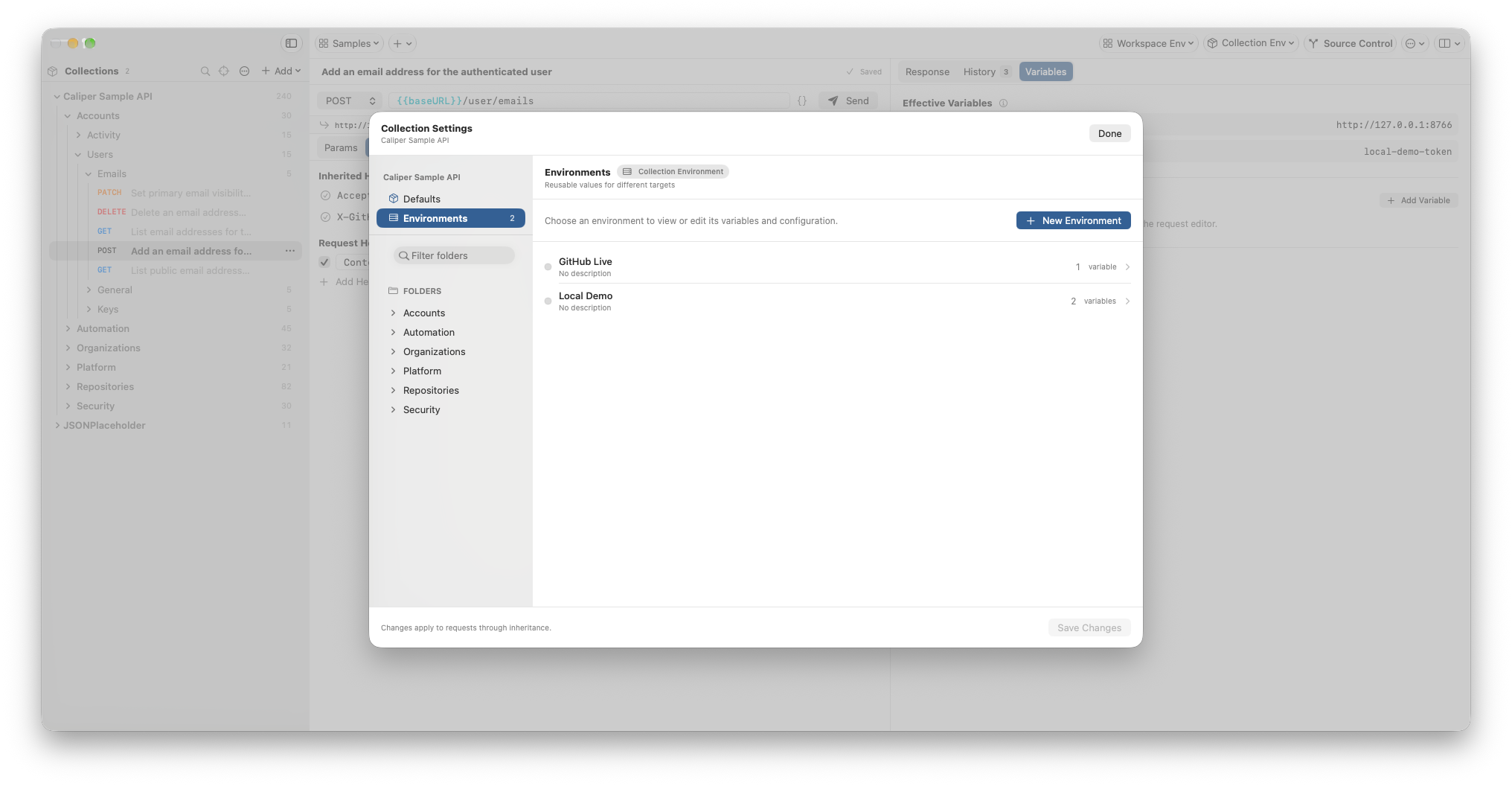
OpenCollection YAML is the source of truth. Inspect it in Finder, use it with your preferred version-control tool, or run it from the bundled CLI.
Import Postman, Bruno, Yaak, OpenAPI, Swagger, or cURL. Caliper converts what it supports and clearly reports anything that needs attention.
Download for MacCaliper runs in the App Sandbox. History is encrypted and credentials use protected storage. Caliper asks before a script can use privileged access.
Stored exchanges use authenticated encryption and load only when needed.
Scripts cannot directly access the network, files, processes, or Keychain.
Workspace access and elevated effects require clear authorization.
Use every feature free for 14 days. If Caliper fits your work, one lifetime license covers up to three personal Macs.
Launch offer
The short answers to the questions that matter.
Caliper asks for a license key. Your workspace files stay available in Finder.
No. The launch price is a one-time payment for a lifetime license.
Collections stay in the folders you choose. Response history stays on your Mac and is encrypted.
Caliper runs on macOS 14 or later on Apple silicon and Intel Macs.
Download Caliper for macOS. Open your own collection or explore the included API Workbench sample. You do not need an account.